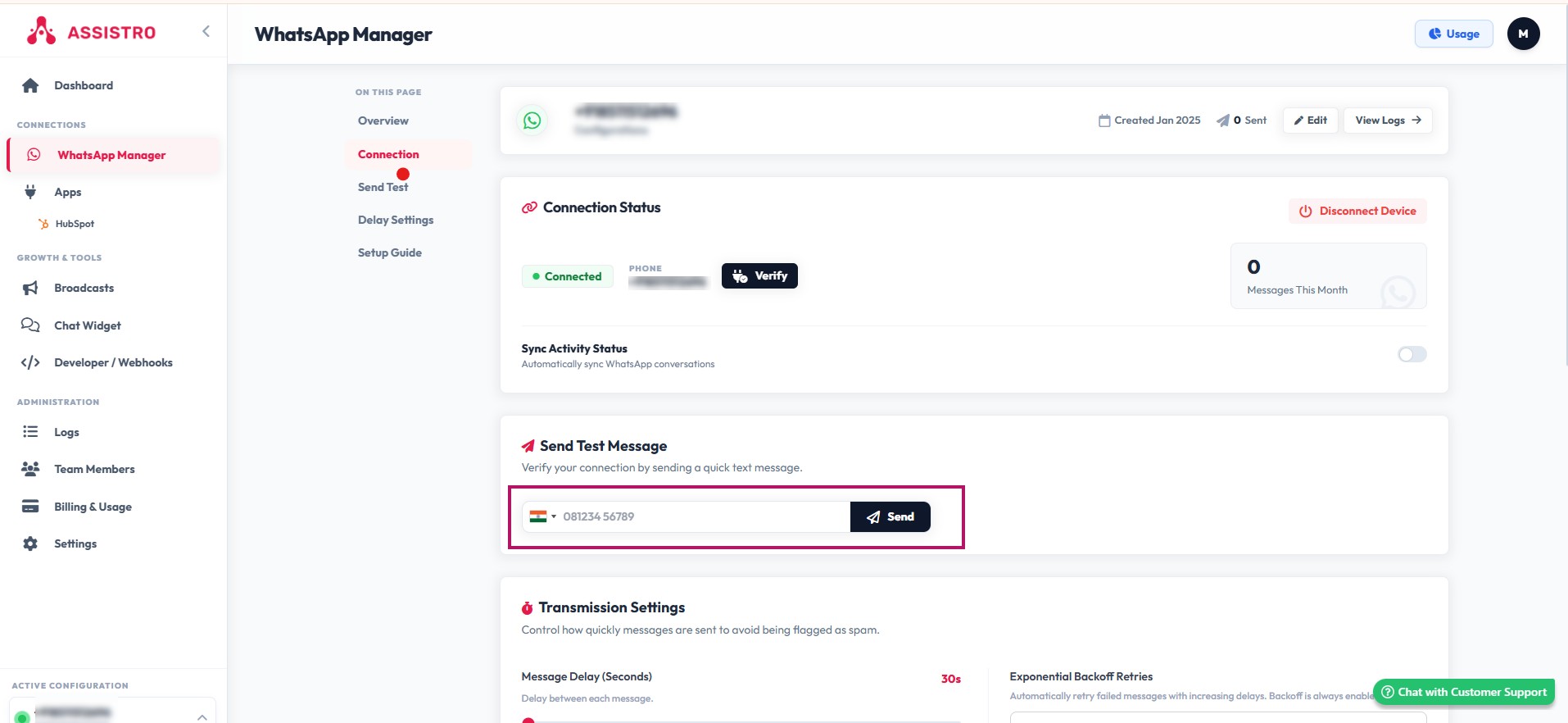

In order to use SyncMate, you first need to connect your WhatsApp with it. Just go throught the easy steps mentioned below:
Step 1
Once you are logged in, you will be redirected to WhatsApp Configuration page.
Step 2
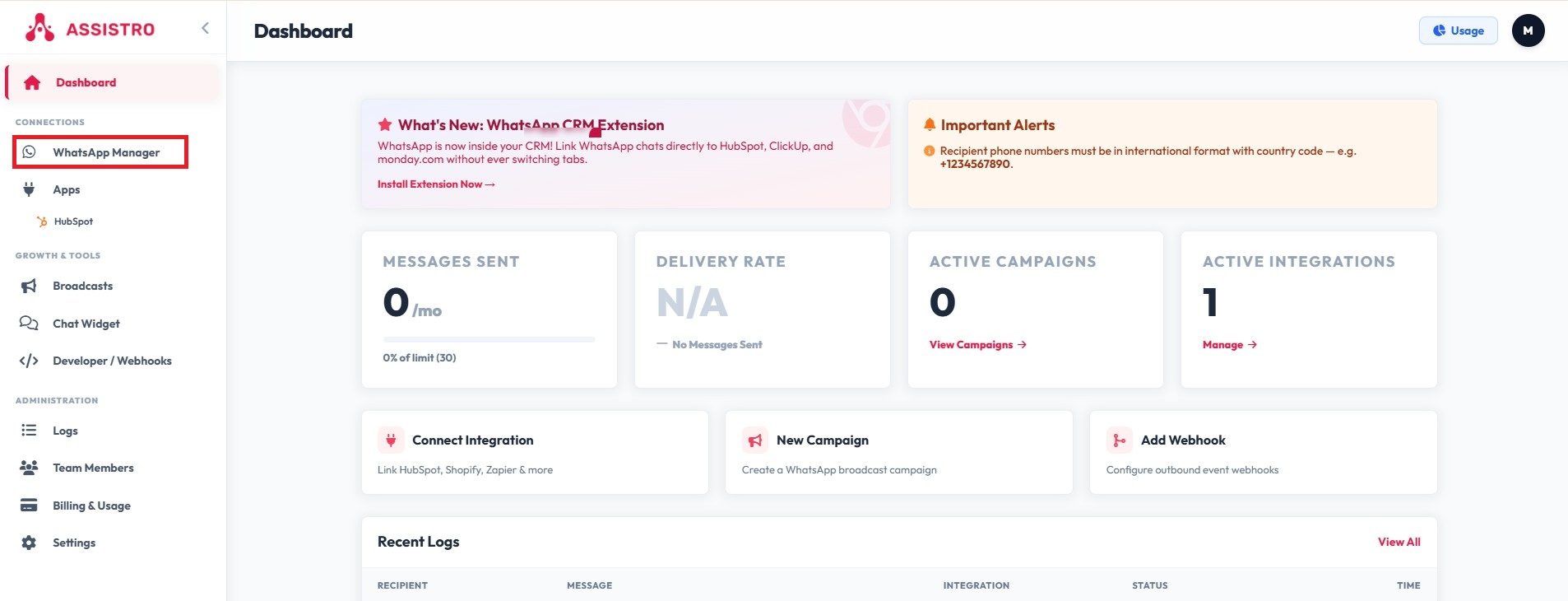
Navigate to WhatsApp Manager.
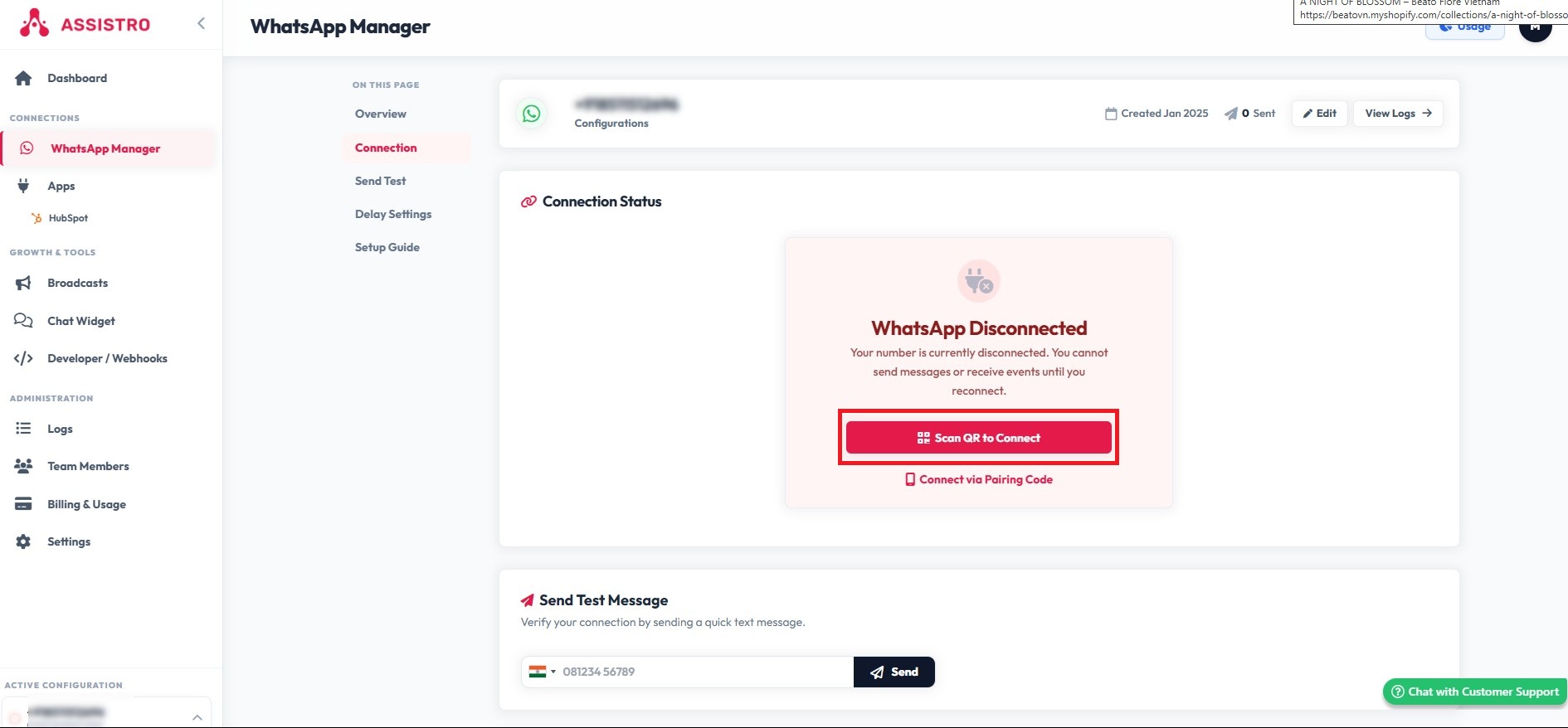
Step 2
click on Scan R to Connect button to generate the QR code.
Step 3
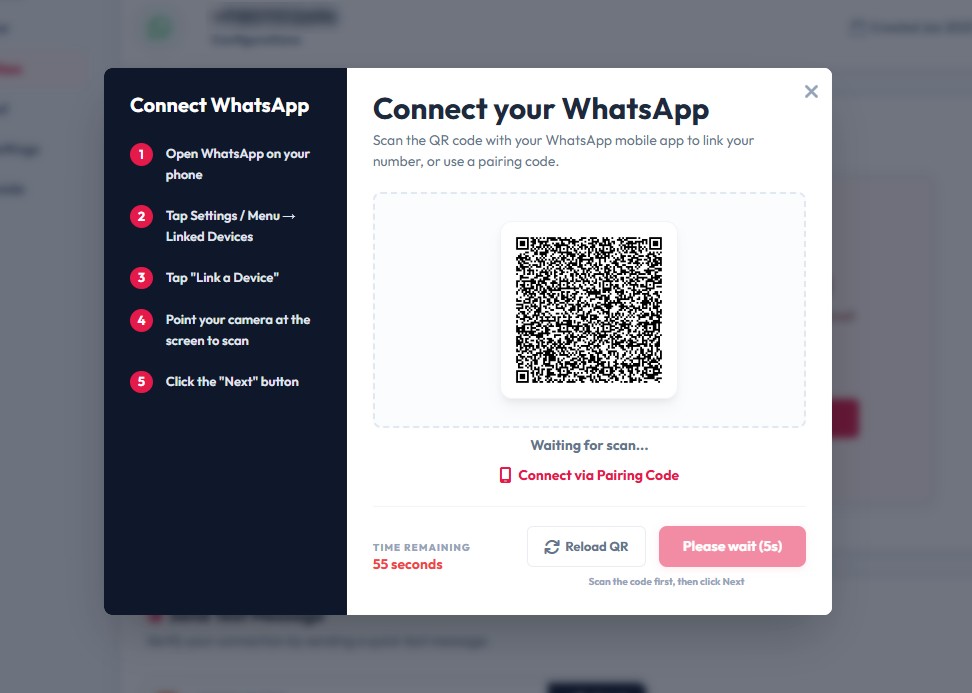
You will now see a popup with QR code, you need to scan QR code via your phone by opening WhatsApp > options > linked devices > link a device. After scanning the QR code, click on Next button.
#
Step 4
That’s it , now you can check your connection by clicking on verify button if you are connected it will show “WhatsApp is connected!” message.
Step 5
Also can check connection by sending test message to some one.