

Step 1: Install the App #
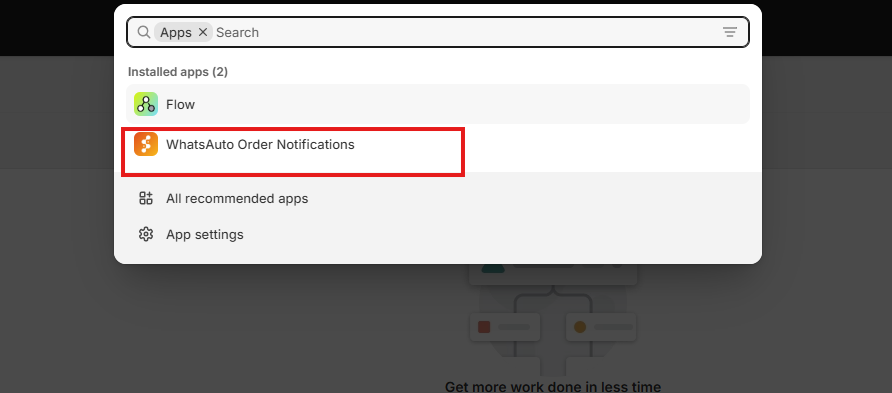
Install SyncMate by Assistro from the Shopify App Store.

Open it from Shopify Admin → Apps → SyncMate.
Step 2: Connect WhatsApp #
In the app, go to Connect WhatsApp.
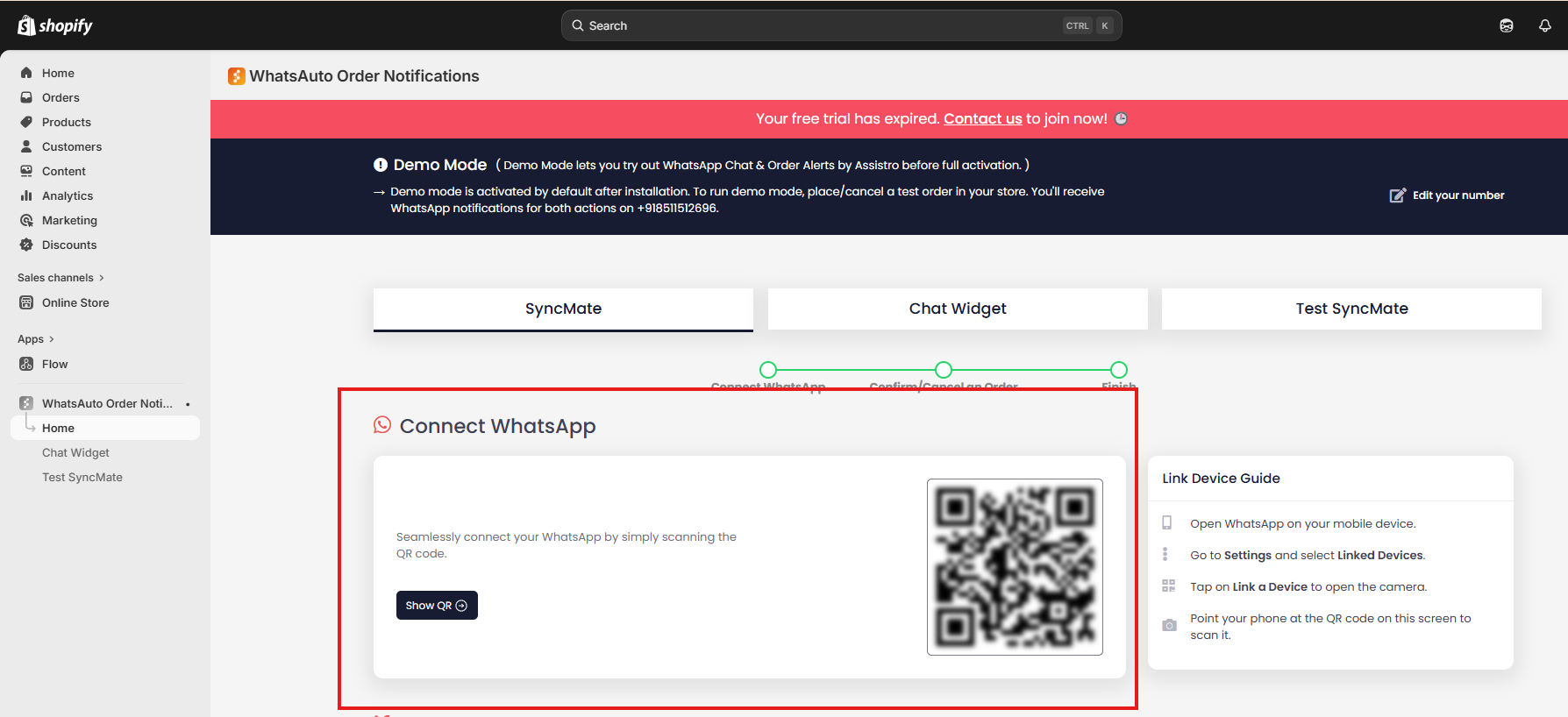
On your phone: WhatsApp → Linked Devices → Link a Device.
Scan the QR code shown in the app.
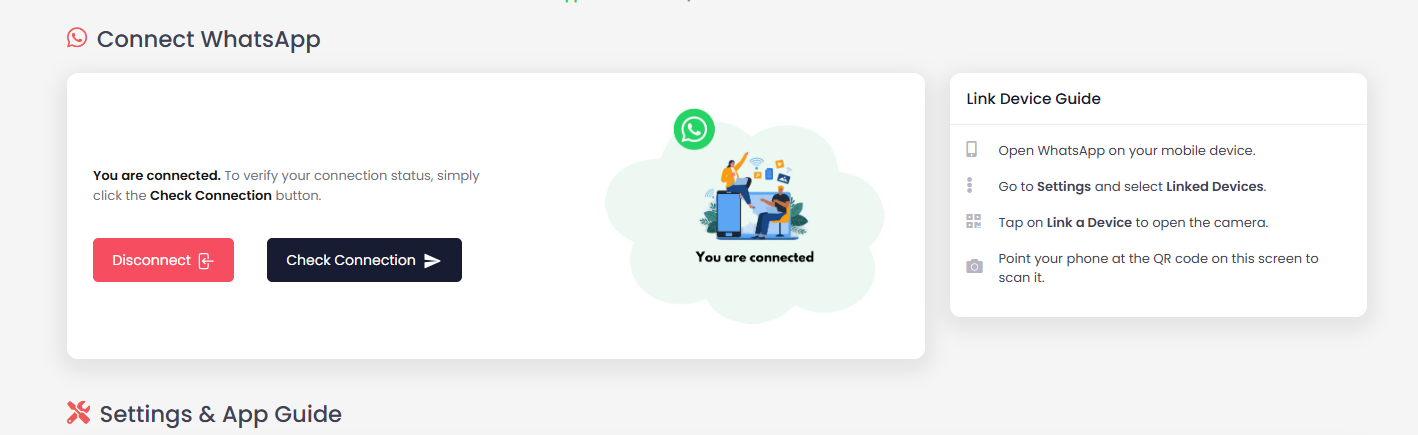
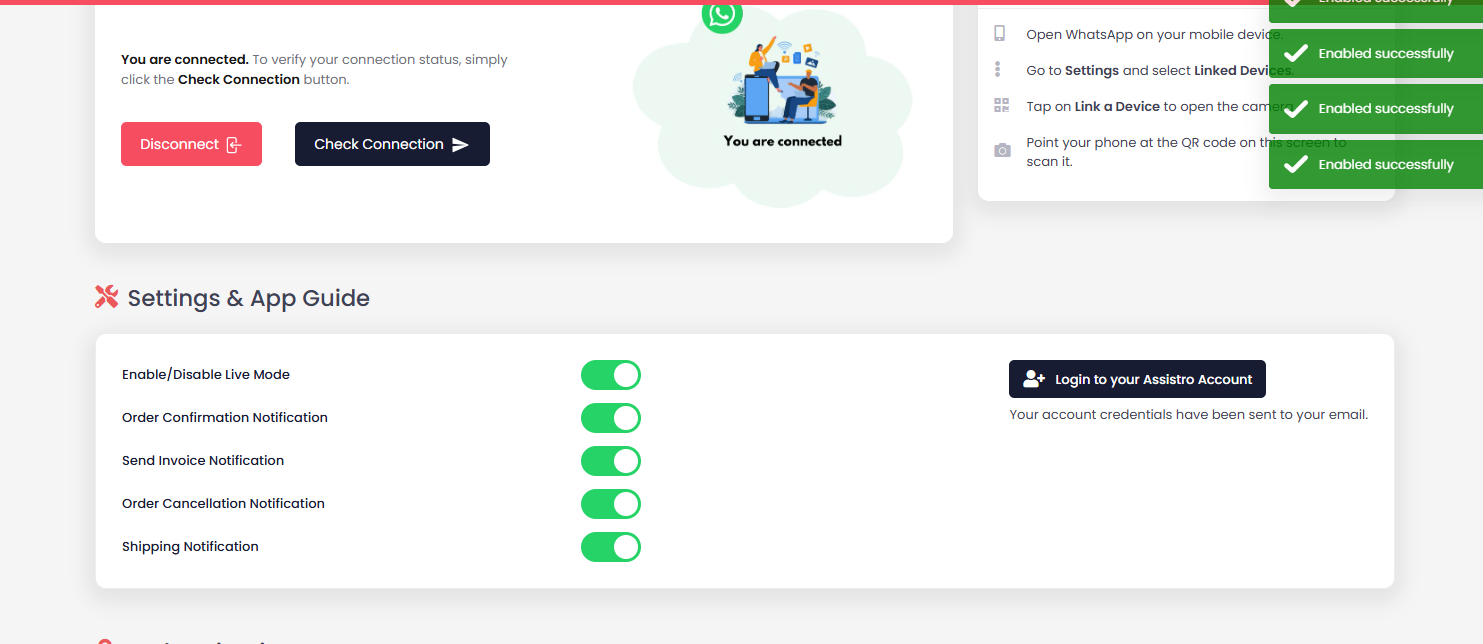
Click Check Connection to confirm.
Step 3: Enable Live Mode #
In Settings & App Guide:
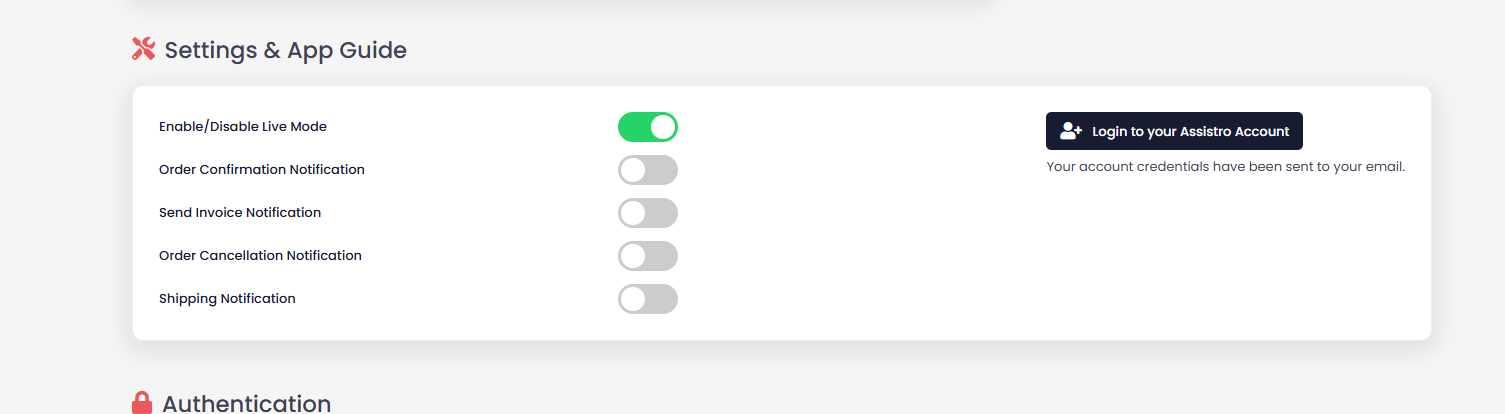
- Turn ON Enable Live Mode (required for messages to send).
Step 4: Enable Notifications #
Toggle ON the events you want:
- Order Confirmation
- Invoice Notification
- Order Cancellation
- Shipping Notification
Step 5: Customize Messages #
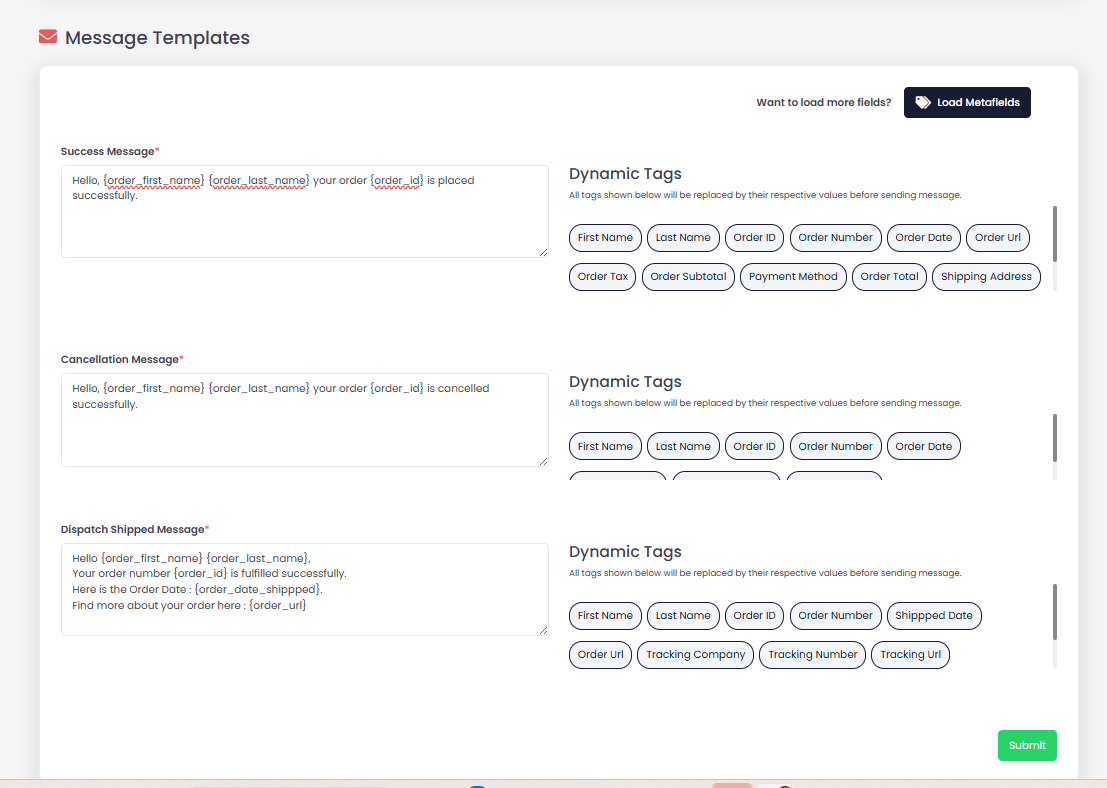
Edit templates in Message Templates using dynamic tags like:
{order_first_name}{order_id}{tracking_number}
Click Submit after changes.
Step 6: Test #
- Place a test order in your store.
- You should receive the WhatsApp message instantly.