
To unlock more message credits, campaigns, or premium features, follow these steps to upgrade your plan:
1,) Login to your Assistro account.
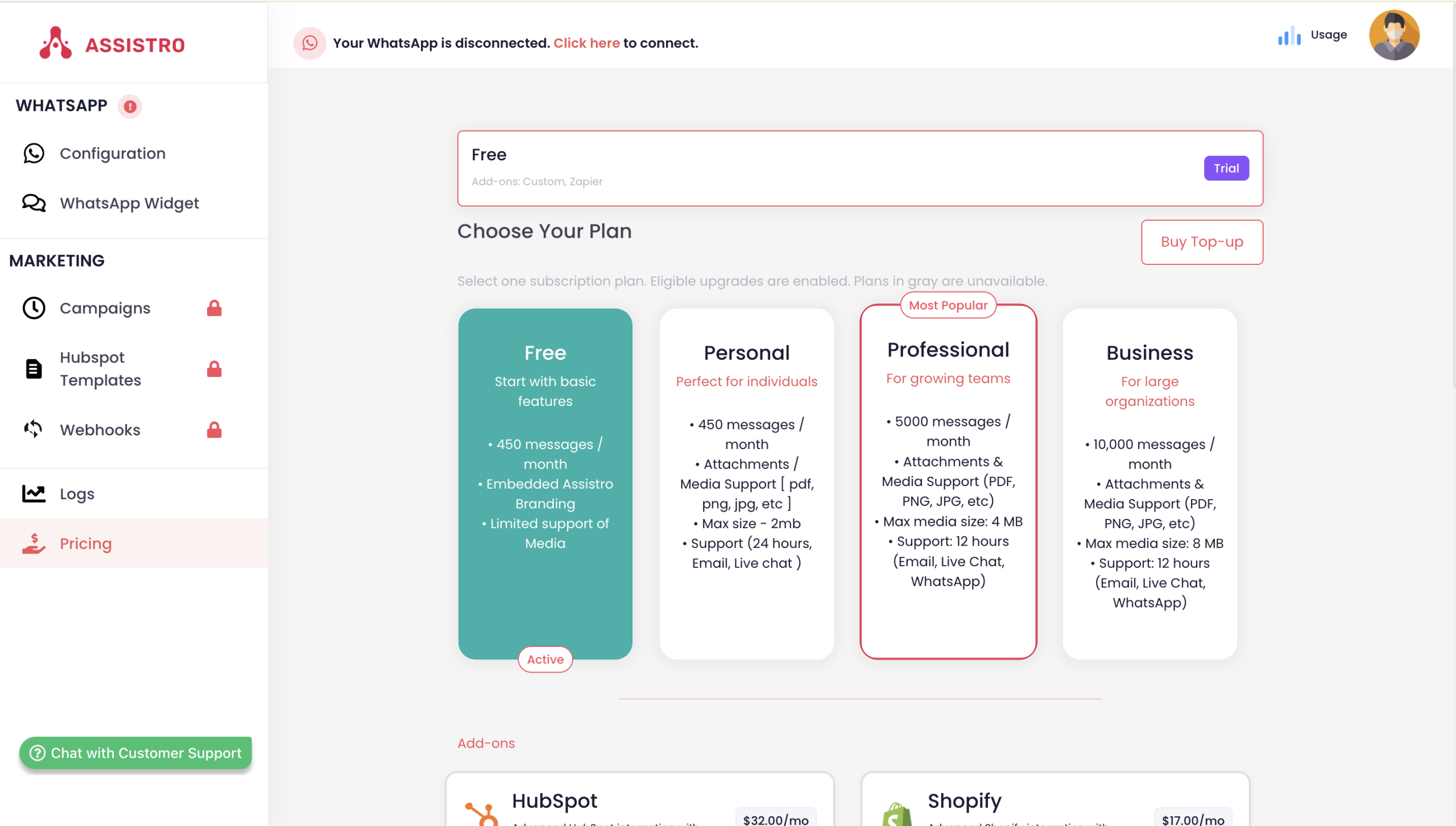
2.) Navigate to the Pricing tab in the sidebar and select a suitable plan as per your requirement (for e.g. personal, professional or business).
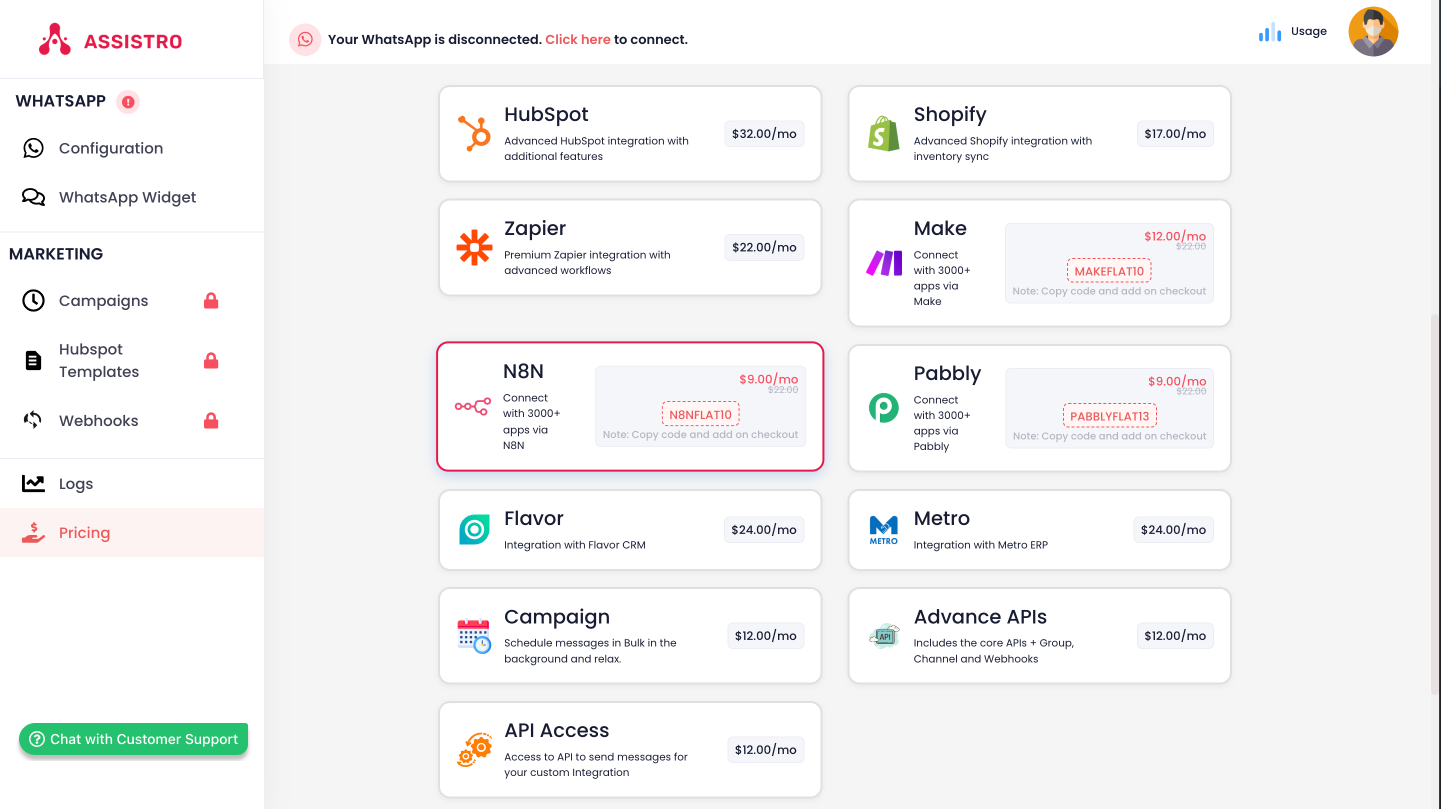
3.) Select the add-on, the integration you are going to use (for e.g. Zapier, n8n, make.com, Shopify e.t.c.).
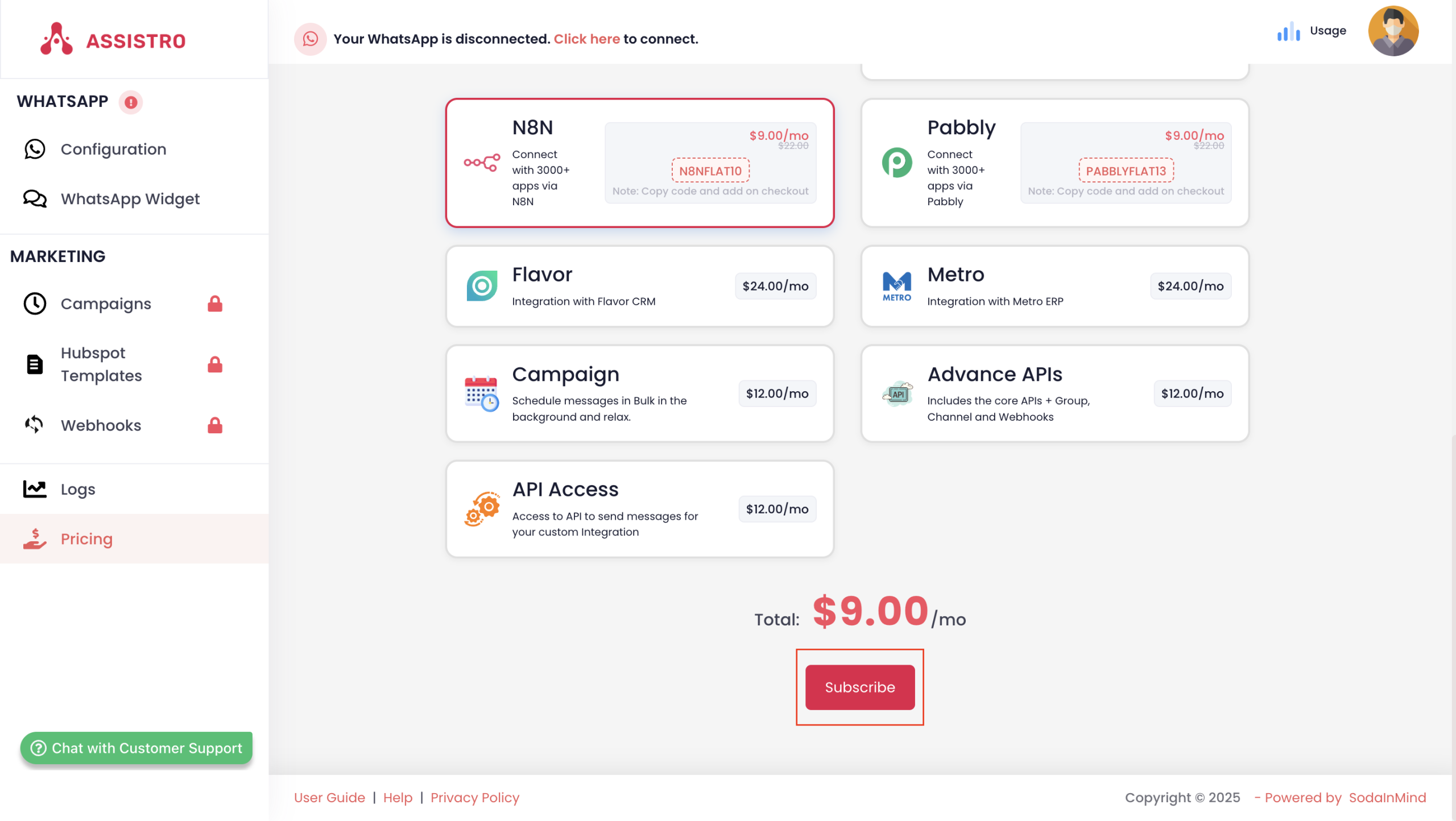
4.) Once you have selected both Plan & Add-on, click on the Subscribe.
5.) Complete the payment via our secure gateway. Your selected plan will be activated immediately upon successful payment.