
We’re sorry to see you go. You can cancel your recurring subscription at any time:
1,) Login to your Assistro account.
2.) Navigate to the Pricing tab in the sidebar
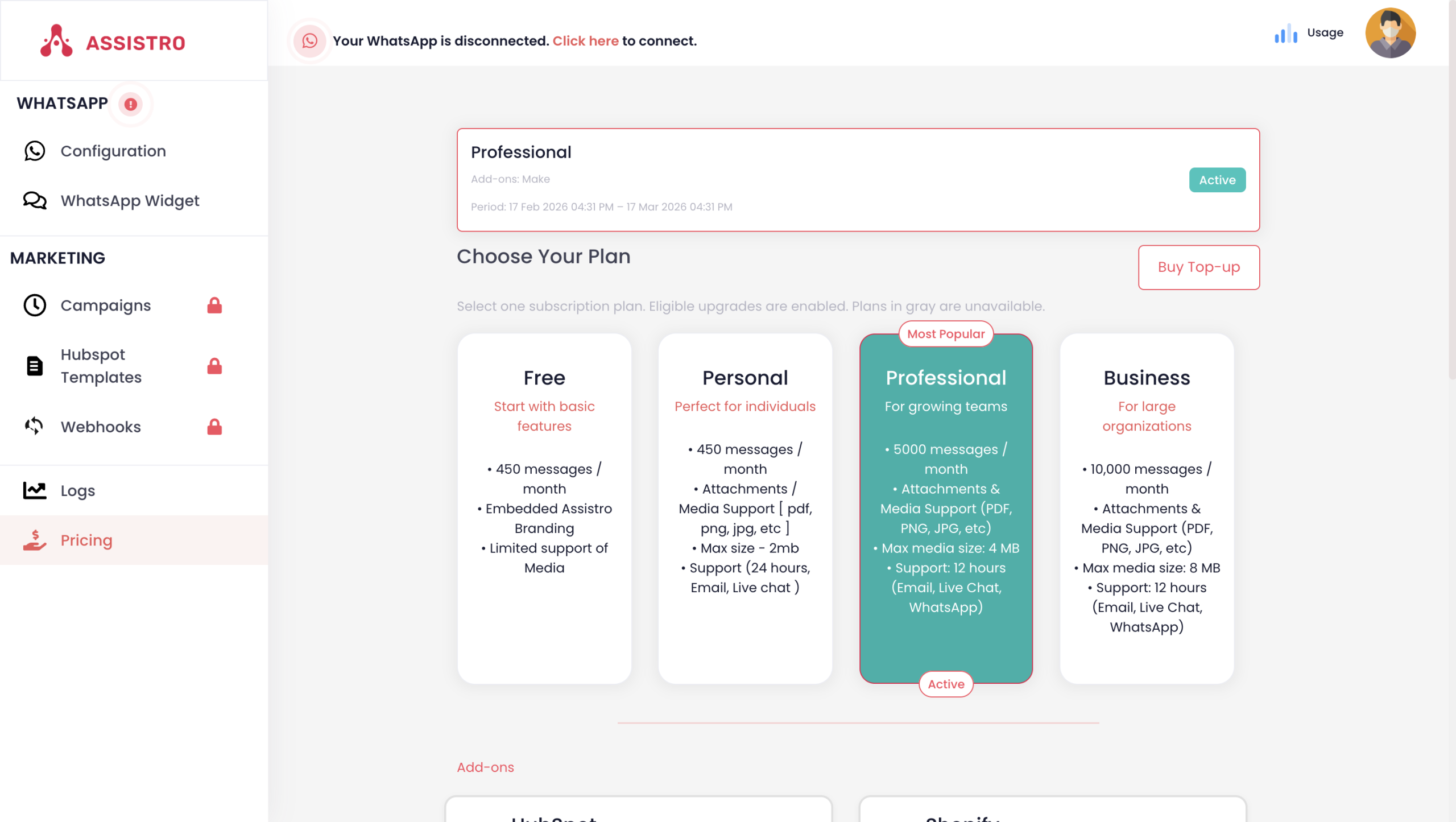
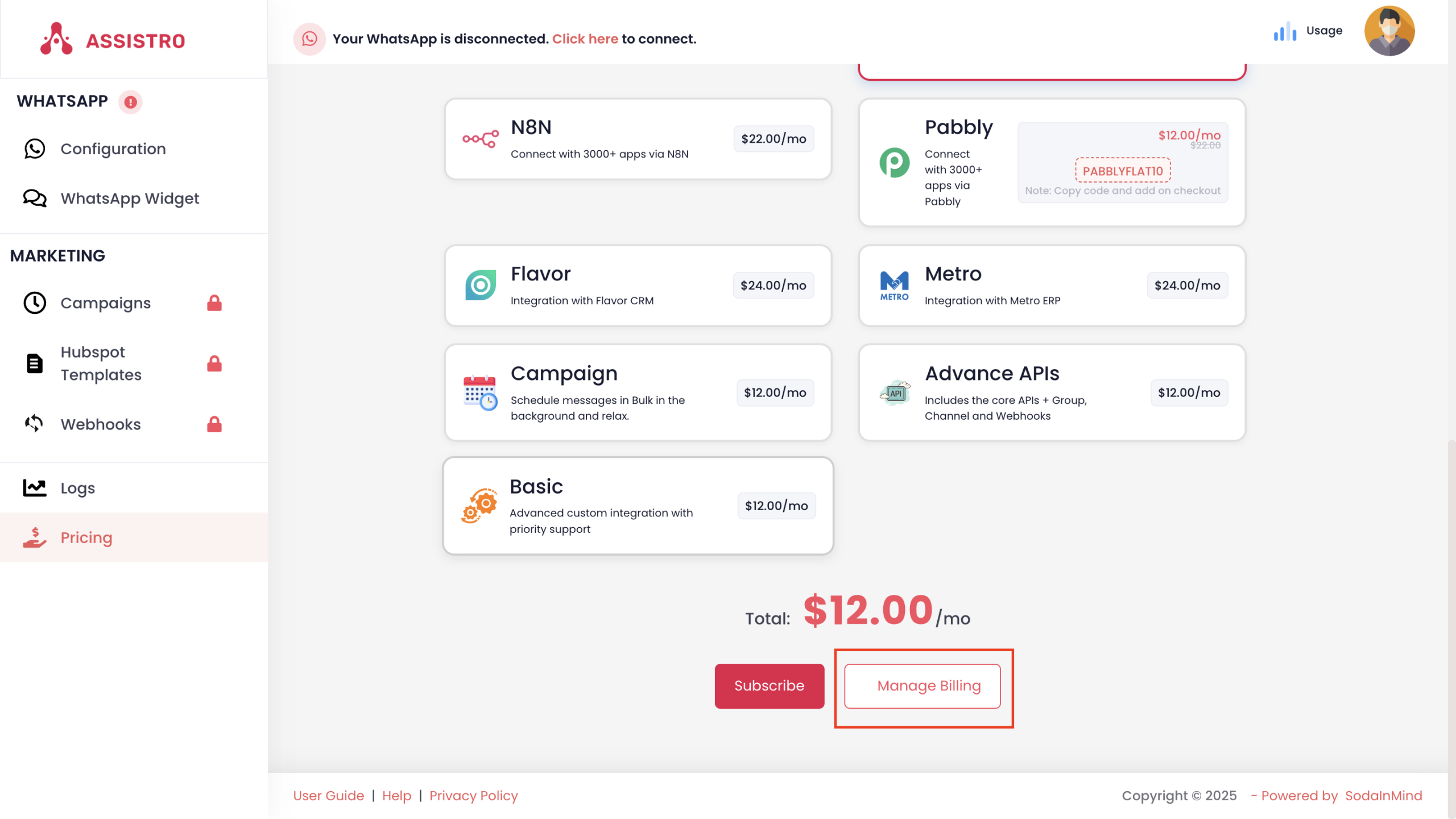
3.) Scroll down to the bottom and click the Manage Billing button.
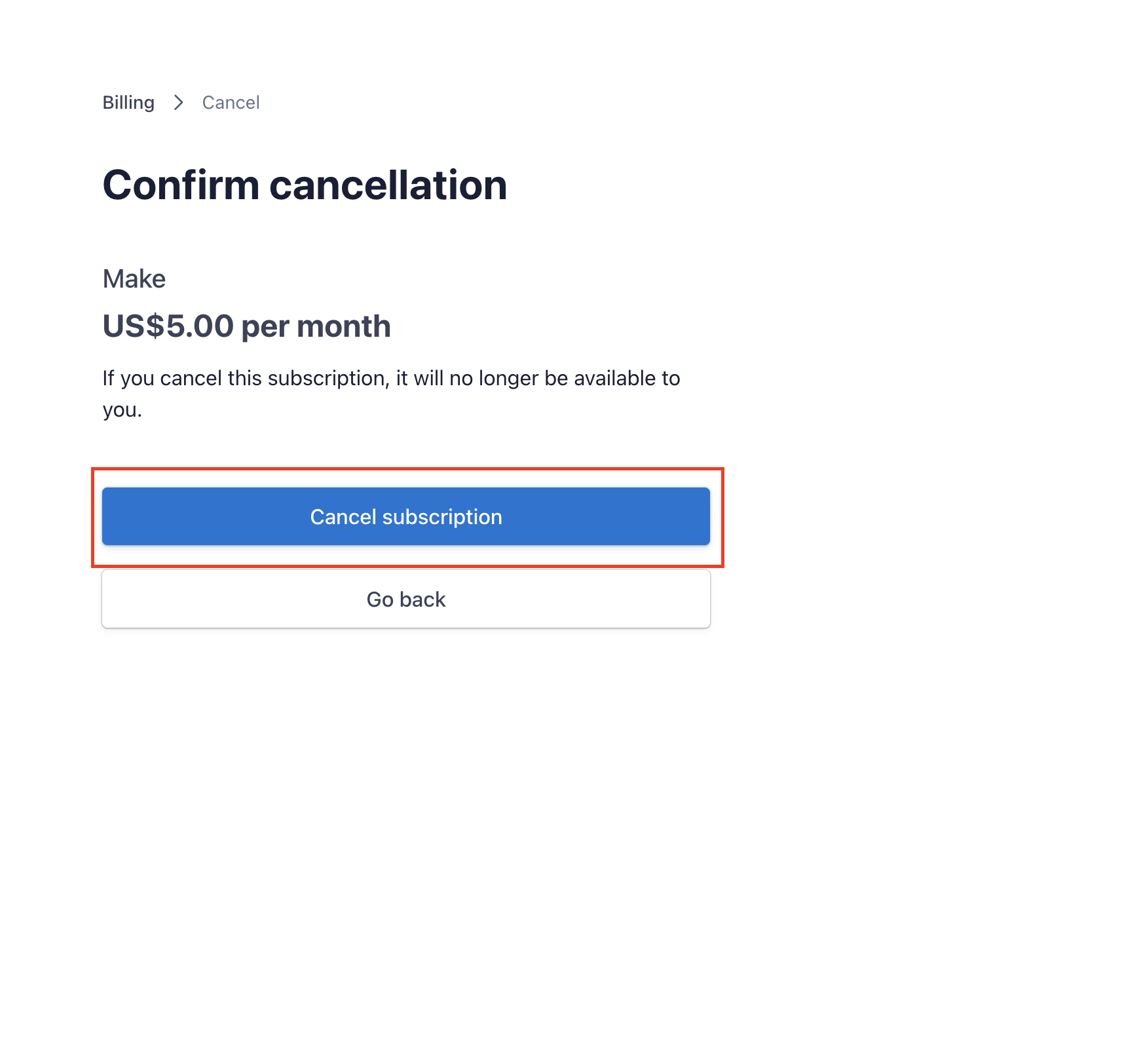
4.) You will be redirected to the billing portal. Locate your current plan details and click the Cancel Subscription button.
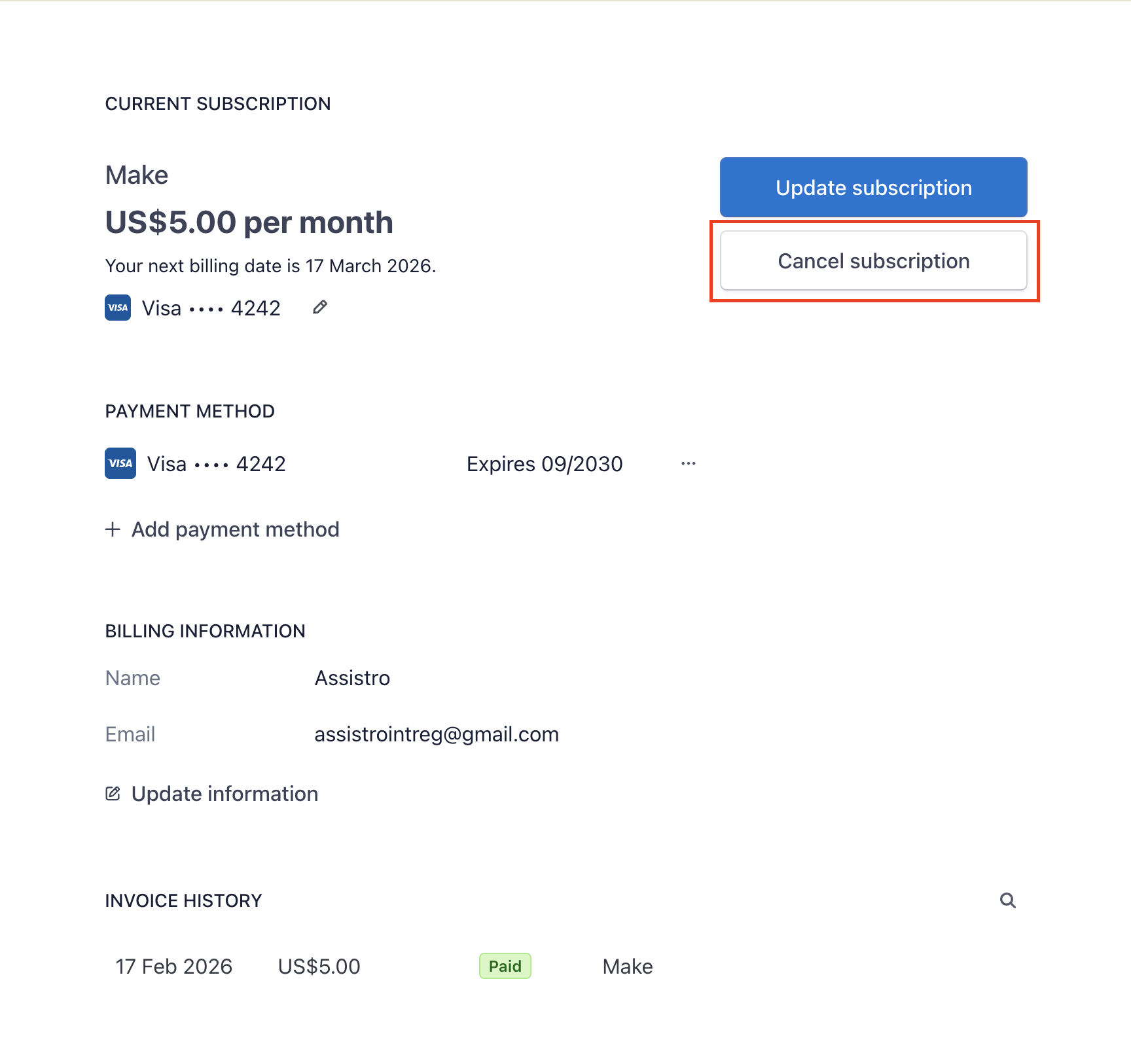
5.) A popup will appear asking you to verify your choice. Click Cancel Subscription to finalize the cancellation